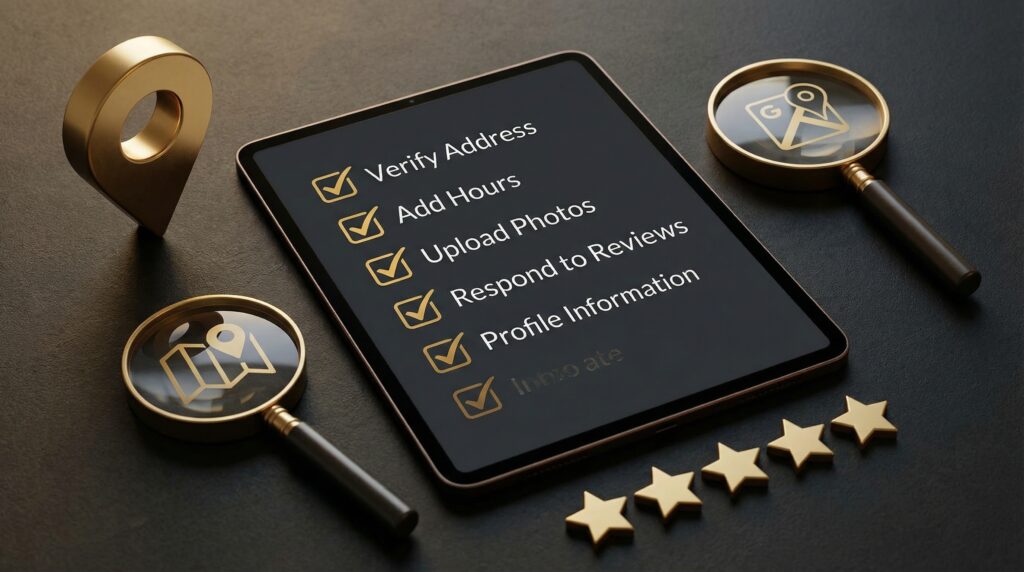
If you run a local business, working through a Google Business Profile optimization checklist is one of the fastest ways to improve your local search visibility. Most businesses leave their profile half-filled, missing out on calls, visits, and sales that go straight to competitors who bothered to finish the job.
The numbers tell the story: 88% of mobile local searches result in a business visit or phone call within 24 hours. Complete GBP listings receive 7x more clicks than incomplete ones. Businesses with 100 or more photos on their profile see 1,065% more website clicks. These are not small margins.
This checklist walks you through every field, setting, and habit that matters for local ranking. Whether you are setting up a profile from scratch or fixing one that has been neglected, these 12 steps cover what actually moves the needle.
Why Google Business Profile Optimization Matters
Google Business Profile (formerly Google My Business) is the information panel that appears when someone searches for your business or a service you offer in your area. It shows up in Google Maps, the local pack (those three businesses at the top of search results), and knowledge panels.
Google uses your profile data to decide whether to show you in local results. Your name, address, phone number, categories, photos, reviews, and posts all factor into where you rank. An optimized profile does not just look better. It directly affects whether customers find you or find the shop down the street instead.
Businesses in the top three local search spots average 561 Google reviews and a 4.8-star rating. Review recency and how often you respond to reviews are weighted more heavily now, especially after Google's recent core updates. This is not a set-it-and-forget-it tool. It rewards consistent attention.
Need Help With Your Local SEO?
We help businesses and individuals improve their local search visibility and attract more customers through proven optimization strategies.
The Complete Google Business Profile Optimization Checklist
1. Claim and Verify Your Profile
Before you can optimize anything, you need to claim your profile. Go to business.google.com and search for your business name. If it exists already (Google often creates unclaimed listings from public data), claim it. If not, create a new one.
Verification is usually done by postcard, phone, email, or video. Postcard verification takes up to two weeks, so do this first. You cannot edit most fields until verification is complete.
2. Choose the Right Primary Category
Your primary category is one of the strongest local ranking factors. Google uses it to determine which searches should show your business. Be specific. "Plumber" is better than "Home Service." "Personal Injury Attorney" outranks "Lawyer."
You can add up to nine additional categories, but the primary one carries the most weight. Think about what your customers actually search for, not how you describe your business internally.
3. Fill Out Every Field in Your Business Information
This is where most businesses stop too early. Google gives you a long list of fields: business name, address, phone number, website, hours, holiday hours, accessibility attributes, service areas, appointment links, and more. Fill them all out.
Customers are 2.7x more likely to consider a business reputable when its profile is complete. Each field you skip is a signal to Google that your profile is less authoritative than a competitor's fully filled listing.
4. Write a Keyword-Rich Business Description
You get 750 characters for your business description. Use them wisely. Lead with your primary service and location. Mention what you do, who you serve, and what sets you apart. Avoid keyword stuffing, but do include the terms your customers search for.
Bad: "We are a family-owned business committed to excellence and customer satisfaction." This says nothing and helps nobody.
Better: "Austin-based residential plumbing company specializing in emergency repairs, water heater installation, and drain cleaning. Licensed, insured, and available 24/7."
5. Upload High-Quality Photos Regularly
Photos are one of the most underrated ranking factors. Listings with photos get 42% more direction requests and 35% more website clicks. Businesses with over 100 photos see dramatically higher engagement across every metric.
Upload a mix of:
- Exterior and interior shots of your location
- Team photos
- Product or service photos
- Before-and-after images (if applicable)
- Professional logo and cover photo
Aim to add new photos at least once a month. Fresh images signal an active business to Google.
6. Add Products and Services
The Products and Services sections let you list exactly what you offer with descriptions, prices, and photos. This is additional keyword real estate. Each item you add gives Google more context about your business and more opportunities to match you with relevant searches.
For service businesses, use the Services tab to list individual offerings with descriptions. For retail and restaurants, the Products tab works like a mini catalog. Both appear directly in your profile for searchers to browse.
7. Set Up Messaging and Booking Links
Enable Google Business messaging so customers can reach you directly from search results. Add booking links if you take appointments. These features reduce friction between finding your business and contacting you, which Google tracks and rewards with higher visibility.
Google Business Profile Optimization: Ongoing Maintenance
8. Create Google Business Profile Posts
GBP posts are short updates that appear on your profile. You can share offers, events, news, or general updates. Weekly posts increase engagement by about 30%. Two to three posts per week is the sweet spot if you can sustain it.
Each post is another indexed piece of content with keywords. Think of them as micro-blog entries that keep your profile active. Old posts expire after seven days (for offer and update types), so consistency matters.
9. Build a Review Strategy
Reviews are a top local ranking factor. The top three businesses in local search average over 500 reviews. Quantity matters, but so do recency, rating, and your response rate.
Practical steps:
- Ask every satisfied customer for a review (in person, by text, or by email)
- Include a direct review link in your email signature and receipts
- Respond to every review, positive and negative, within 24 hours
- Never buy reviews or offer incentives for positive ones (Google penalizes this)
Your response to a negative review matters more than the review itself. Potential customers read how you handle complaints. A professional, solution-oriented response builds trust.
10. Maintain Name, Address, and Phone Consistency
Your business name, address, and phone number (NAP) must be identical everywhere online: your website, Google profile, Yelp, Facebook, Apple Maps, industry directories, everywhere. Even small variations (like "St." vs. "Street") can confuse Google and hurt your rankings.
Audit your NAP quarterly. If you find inconsistencies, correct them. Use a tool like BrightLocal or Whitespark to find and fix citation errors across the web. For more on this topic, check out our guide to local SEO for service area businesses.
11. Use Google Business Profile Insights
The Insights tab shows you how people find your profile, what actions they take (calls, website visits, direction requests), and where they come from. Use this data to track which optimizations are working and where you have gaps.
Key metrics to watch:
- Search queries that trigger your profile
- Direct vs. discovery searches
- Photo views compared to competitors
- Customer action rates (calls, website clicks, bookings)
12. Keep Everything Updated
Google rewards active profiles. Change your hours for holidays. Add seasonal photos. Post updates about new services or promotions. Update your description if your business evolves. A stale profile signals an inactive business, and Google will deprioritize it.
Set a monthly reminder to review your profile. It takes 15 minutes and keeps you ahead of competitors who set it up once and forgot about it.
Ready to Dominate Local Search?
We help businesses and individuals improve their local search visibility and attract more customers through proven optimization strategies.
Common Google Business Profile Mistakes to Avoid
Even businesses that complete most of the checklist above make a few common errors that hold them back:
- Keyword stuffing your business name. Adding city names or service keywords to your official business name violates Google's guidelines and can get your profile suspended. Use your real business name.
- Ignoring negative reviews. Unanswered complaints tell potential customers you do not care. They also tell Google you are not engaged with your profile.
- Using low-quality or stock photos. Generic stock images perform worse than authentic photos of your actual business, team, and work. Google's algorithms can tell the difference, and so can customers.
- Creating duplicate listings. Multiple profiles for the same location confuse Google and split your reviews and authority. If you find duplicates, merge them.
- Neglecting seasonal updates. Holiday hours, temporary closures, and special offers should be updated promptly. Outdated information frustrates customers and damages trust.
Avoiding these mistakes costs nothing but pays off in better visibility and more customer trust. For more budget-friendly marketing tips, see our guide on social media marketing on a budget for small businesses.
How to Track Your Local Ranking Progress
After working through this checklist, you need a way to measure results. Here is a simple approach:
- Baseline your rankings. Search your target keywords in an incognito browser and note where you appear in the local pack. Record the date.
- Check weekly. Local rankings fluctuate, but weekly checks give you a trend line over time.
- Monitor Insights monthly. Look for increases in calls, website clicks, and direction requests. These are the metrics that actually affect revenue.
- Track review velocity. Count new reviews per month. A steady stream of fresh reviews signals ongoing customer activity.
- Compare to competitors. Google Business Profile Insights shows how you stack up against similar businesses for photo count, review count, and engagement.
Give changes 4 to 8 weeks before judging results. Local SEO is cumulative. The businesses that win are the ones that keep optimizing while everyone else stops.
Final Thoughts on Your Google Business Profile Optimization Checklist
This checklist covers the core actions that drive local visibility. Most of them take minutes, not hours. The businesses that rank at the top of local search are not doing secret tricks. They are just doing the basics consistently while their competitors skip steps.
Start with verification if you have not claimed your profile yet. Then work through the checklist in order. Update your photos, build a review habit, post regularly, and track your progress. Within a few months, the difference in calls, clicks, and walk-in traffic will be obvious.