
If you've ever stared at your phone at 4 PM thinking "I should probably post something today," you already know why you need a social media content calendar. That panicked, last-minute scramble for content is the enemy of growth - and honestly, it's exhausting.
Key Takeaways
- A content calendar shifts you from reactive posting to intentional, strategic communication
- Start with 3-5 content pillars that define your core topics and keep your messaging focused
- Batch-creating content saves time and maintains consistency across platforms (and AI marketing tools can speed this up even further)
- The 80/20 rule works best - 80% value-driven content, 20% promotional
- A simple Google Sheet or free template is all you need to get started today
Learning how to create a social media content calendar doesn't require fancy software or a marketing degree. It just takes a system that works for you, some time set aside to plan, and the discipline to actually follow through. Here's exactly how to build one from scratch.
What a Social Media Content Calendar Actually Is
A content calendar is a planning document that maps out what you're posting, where you're posting it, and when. That's it. No mystery, no complexity.
It can be as simple as a Google Sheet with dates and captions, or as detailed as a project management board with approval workflows and asset links. The format matters less than the habit of using one consistently.
What makes it powerful isn't the tool - it's the shift from reactive posting ("I guess I'll share this") to intentional communication ("This post supports our Q1 goal of driving email signups").
Why Most Businesses Struggle Without a Content Calendar
Here's what typically happens without a plan: you post when inspiration strikes, which means some weeks you're active and other weeks you go completely silent. Your audience never knows when to expect you, and the algorithms notice the inconsistency too.
According to Hootsuite's 2026 Social Trends report, brands that maintain consistent posting schedules see measurably better engagement because platform algorithms now prioritize accounts that show up regularly. Going dark for a week, then flooding feeds with five posts in a day, sends mixed signals to both followers and the algorithm.
Beyond consistency, the real problem is strategic drift. Without a calendar, every post exists in isolation. There's no connection between Tuesday's Instagram Story and Thursday's LinkedIn article. A content calendar forces you to think in campaigns, themes, and sequences rather than one-off posts.
How to Create a Social Media Content Calendar in 6 Steps
Let's break this down into a process you can finish in a single afternoon.
Step 1: Define Your Content Pillars
Content pillars are 3-5 core topics your business will consistently post about. They keep you focused and prevent random posting that confuses your audience about what you actually do.
For example, a fitness coach might choose: workout tutorials, nutrition tips, client transformations, and behind-the-scenes daily life. A marketing agency might go with: platform strategies, case studies, industry news, and actionable tips.
Write your pillars down. Every post you create should tie back to one of them. If it doesn't fit a pillar, it probably doesn't belong on your feed.
Step 2: Choose Your Platforms and Posting Frequency
The biggest mistake small businesses make is trying to be everywhere at once. Pick 2-3 platforms where your target audience actually spends time, and commit to posting consistently on those before adding more.
A realistic starting point for most small businesses:
- Instagram: 3-5 feed posts per week, daily Stories
- TikTok: 3-5 videos per week (if your audience skews younger, check out our guide to growing on TikTok as a small business)
- LinkedIn: 2-3 posts per week for B2B
- Facebook: 3-4 posts per week
The numbers above are guidelines, not rules. It's better to post three times a week consistently for six months than to post daily for two weeks and burn out.
Step 3: Pick Your Calendar Tool
You don't need expensive software. Here are free options that work perfectly:
Google Sheets - The simplest option. Create columns for date, platform, content pillar, caption, visual notes, and status. Share it with your team for collaboration.
Notion - Great if you want a more visual approach with board views, databases, and content templates all in one place.
Trello - Works well for teams that think in workflows (idea, drafted, approved, scheduled, published).
Buffer or Later - Free tiers let you plan and schedule posts directly to platforms, combining your calendar with publishing.
Start with whatever you'll actually use. The fanciest tool in the world is worthless if you abandon it after a week.
Step 4: Map Out a Month at a Time
Block out 2-3 hours on the first or last day of each month to plan the upcoming month. Here's what to map:
- Key dates: holidays, industry events, product launches, sales
- Content pillar rotation: make sure you're covering all pillars roughly equally
- Content formats: mix carousels, Reels, static posts, Stories, and text posts
- Campaigns: any multi-post sequences or promotional pushes
You don't need to write every caption during this session. Just get the skeleton in place - the topic, format, platform, and which pillar it serves. You can flesh out the details later in weekly batching sessions.
Step 5: Batch Create Your Content
This is where the real time savings kick in. Instead of creating content every single day, dedicate one day per week to batch-create the next week's posts.
A typical batching session might look like:
- First hour: Write all captions for the week
- Second hour: Create or source all visuals (photos, graphics, video clips)
- Third hour: Schedule everything using your chosen tool
Batching works because it keeps you in a creative flow state rather than constantly switching between creating and doing other business tasks. Most people find they can produce a full week of content in about three hours once they get the hang of it.
Step 6: Review, Adjust, Repeat
Your calendar isn't a set-it-and-forget-it system. At the end of each month, look at what performed well and what fell flat. Which content pillars drove the most engagement? Which formats got saved and shared? What times got the best reach?
Use these insights to refine next month's calendar. Over time, you'll develop a clear picture of what your specific audience responds to - and that's worth more than any generic "best practices" list.
Need Help Building Your Content Strategy?
We help businesses and individuals build engaged audiences and drive real results through social media.
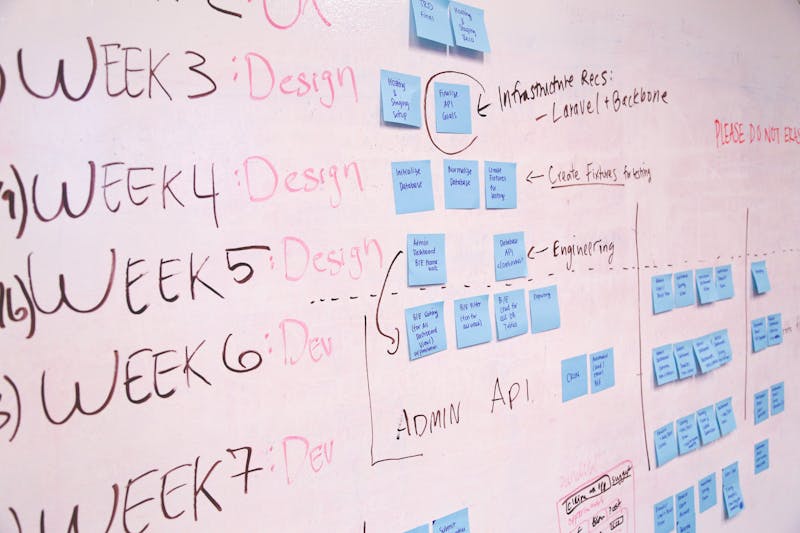
Content Calendar Template You Can Copy Today
Here's a simple weekly template structure you can recreate in Google Sheets or Notion in about 10 minutes:
Column headers: Date | Platform | Content Pillar | Post Type | Topic/Angle | Caption Draft | Visual Notes | Hashtags | Status | Performance Notes
Status options: Idea, Drafted, Designed, Scheduled, Published, Analyzed
For the "Performance Notes" column, come back after each post goes live and jot down the key metrics. This turns your calendar into a living document that gets smarter over time.
Pro tip: color-code by content pillar so you can quickly eyeball whether your month has a good balance. If everything is one color, you're leaning too hard on one topic area.
Want a Content Strategy That Actually Drives Results?
We help businesses and individuals build engaged audiences and drive real results through social media.
Common Content Calendar Mistakes to Avoid
Even with a calendar in place, a few pitfalls can undermine your efforts:
Planning but never analyzing. A calendar without performance review is just a to-do list. The analysis step is where the real strategic value lives.
Being too rigid. Your calendar should be a guide, not a cage. If something newsworthy happens in your industry or a trend takes off, swap out a planned post and jump on it. The best social media accounts balance planning with real-time relevance.
Ignoring your captions. Writing social media captions that actually convert takes real effort. Don't rush through them just to fill calendar slots. A mediocre post is sometimes worse than no post at all.
Not leaving room for spontaneity. Plan about 80% of your content and leave 20% open for spontaneous posts, trending topics, and timely responses. This keeps your feed feeling alive rather than robotic.
Overcomplicating the system. If your content calendar requires a 45-minute tutorial to understand, it's too complex. Simplicity is what makes calendars sustainable long-term.
Making Your Calendar Work in 2026
The social media world moves fast, and 2026 has brought some shifts worth building into your planning:
Short-form video is still dominant. YouTube data shows video content drives roughly 68% of business impact on the platform. Your calendar should reflect this - aim for at least 40-50% of your content to be video-based, even if it's simple talking-head clips or screen recordings.
AI tools can speed up ideation. Use AI writing assistants to brainstorm caption ideas or generate content angle variations, but always edit and add your own voice before posting. Audiences in 2026 are increasingly good at spotting generic AI-generated content, and it hurts trust.
Platform algorithms reward consistency over volume. Posting three strong pieces per week consistently outperforms posting daily for two weeks then disappearing. Build your calendar around what you can realistically maintain.
Community engagement matters more than broadcast. Leave time in your schedule not just for posting but for responding to comments, engaging with other accounts, and participating in conversations. Algorithms increasingly reward accounts that interact, not just publish.
Getting Started This Week
Here's your action plan: this week, pick your 3-5 content pillars, choose your calendar tool, and map out next week's posts. That's it. Don't try to plan three months in advance on day one.
Start small, stay consistent, and refine as you go. The businesses that win at social media aren't the ones with the most creative calendars - they're the ones that actually stick with the system they built.
Ready to Take Your Social Media to the Next Level?
We help businesses and individuals build engaged audiences and drive real results through social media.